

ChatGPT alternatives: Options to consider for writing, coding, research, and images



ChatGPT made AI chatbots mainstream, but it's no longer the only strong option. Many alternatives now offer similar capabilities across writing, coding, research, and image generation. Depending on your needs, another AI assistant may be a better fit.
ChatGPT alternatives comparison table
Here’s a quick overview of the AI chatbots on our list:
| AI assistant | Recommended for | Image generation | Platforms |
| ExpressAI | All-around use | ❌ | Web |
| Claude | Writing and editing | ❌ | Web, Android, iOS, Windows, macOS |
| Google Gemini | Google ecosystem integration | ✅ | Web, Android, iOS |
| Microsoft Copilot | Microsoft ecosystem integration | ✅ | Web, Android, iOS, Windows, macOS |
| Perplexity | Research | ✅ | Web, Android, iOS, Windows, macOS |
| Grok | Social insights | ✅ | Web, Android, iOS |
| Meta AI | Social platform integration | ✅ | Web, Android, iOS |
| DeepSeek | Math, coding, and problem-solving | ❌ | Web, Android, iOS |
| Poe | Multi-model access | ✅ | Web, Android, iOS, Windows, macOS |
| Pi | Companionship | ❌ | Web, Android, iOS |
| Cursor | Developers | ✅ | Windows, macOS, Linux |
ChatGPT alternatives worth exploring in 2026
Here’s a quick look at some of the top ChatGPT alternatives and their standout features.
Recommended for all-around use: ExpressAI
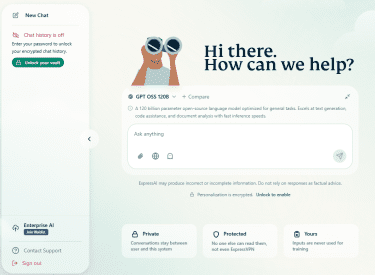 ExpressAI provides access to six large language models (LLMs), which gives users the flexibility to choose the one best suited for their tasks. For example, GPT OSS 120B is well-suited for writing, while Nemotron 12B tends to better handle technical tasks, like solving math or generating code, and Gemma 4 31B supports text, image, and video analysis. You can also select several models at the same time and compare their answers to the same prompt.
Some AI platforms have raised privacy concerns around how conversations may be stored, reviewed, or used for model training. ExpressAI addresses this by using zero-access architecture. Messages are encrypted before being processed, and the system is built so that neither ExpressVPN nor model providers can access the content of your conversations.
Additionally, ExpressAI’s security has undergone an independent audit by the cybersecurity firm Cure53. You can read the full report here.
Recommended for writing: Claude
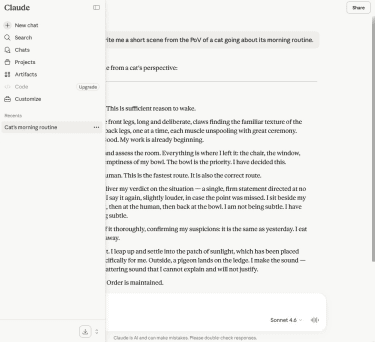 Claude is considered one of the stronger alternatives to ChatGPT for writing and editing tasks. Users sometimes report that its writing style feels more natural and human-like.
Claude Sonnet 4.6 also has a large context window, which is the amount of text the model can “remember” and consider at once. This allows Claude to handle long-form content well, maintaining consistent tone, structure, and context without losing focus.
Beyond the standard chat interface, Claude offers specialized tools for specific workflows. Claude Code is a command-line tool that lets developers delegate coding tasks directly from their terminal, while Cowork is a desktop application that helps non-developers automate file and task management. Claude also integrates into Excel and Chrome through beta extensions, allowing you to work with the AI directly in your spreadsheets or browser.
Recommended for Google ecosystem integration: Google Gemini
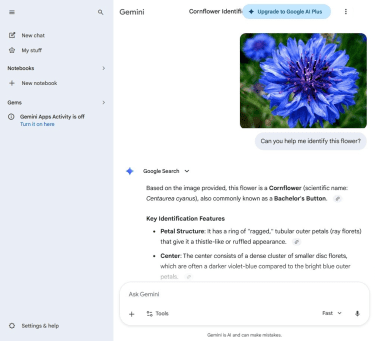 Gemini's most compelling advantage is its integration with the Google ecosystem. This makes it a particularly valuable tool for teams and professionals already using Google Workspace.
It works directly from Google Docs, Sheets, Gmail, and other Workspace apps, so you can draft, summarize, and refine without breaking your workflow. It can also search your Drive files, emails, and calendar to provide responses based on your own documents and data.
Beyond its Google integration, Gemini has strong multimodal capabilities. It can process and respond to text, images, audio, and video. Additionally, it supports a large context window comparable to Claude's.
Recommended for Microsoft ecosystem integration: Microsoft Copilot
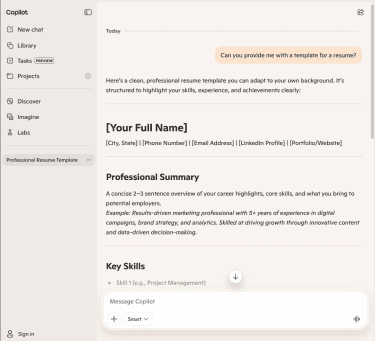 Copilot Free provides access to the latest OpenAI models. Enterprise users also get access to the Anthropic models: Claude Sonnet 4 and Claude Opus 4.1.
Similar to Google Gemini, Microsoft Copilot's main advantage is its deep integration with the Microsoft ecosystem, including Word, Excel, PowerPoint, Teams, and Outlook. This makes it a strong productivity tool for professionals and teams already using Microsoft 365.
Recommended for research: Perplexity
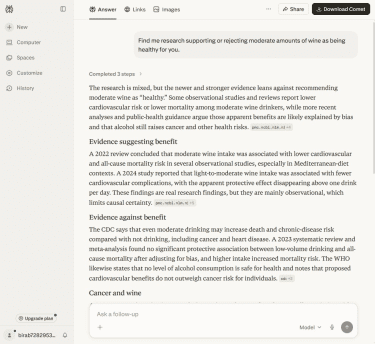 Perplexity is built for research and information retrieval. While it can generate original content like ChatGPT, it excels at delivering up-to-date, verifiable answers and presenting them in a concise and structured way. Perplexity cites its sources for every response, linking directly to the articles, papers, or websites it references. This makes it especially valuable for research, fact-checking, and exploring complex topics where you need to verify information.
Perplexity Pro users can also choose between multiple AI models, including GPT-5.2, Claude Sonnet 4.6, and Gemini 3.1 Pro. Pro and Enterprise users also get access to a feature called Internal Knowledge Search, which lets Perplexity pull answers from their organization’s internal files and knowledge bases, then combine them with web results when needed.
Recommended for social insights: Grok
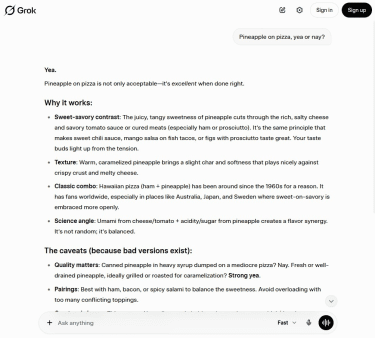 Grok was launched by xAI, the AI company founded by Elon Musk. While you can use it independently, its integration with X lets it access public posts and trending conversations to highlight current discussions and emerging topics that may not yet appear in standard search results.
xAI describes Grok as a “maximally truth-seeking AI” designed to provide “unfiltered truths,” and this positioning is part of what makes it different from more cautious AI assistants. However, it’s important to note that the same “unfiltered” approach has also drawn criticism from various observers and users.
Recommended for social platform integration: Meta AI
 Meta AI integrates directly into Facebook, Instagram, and Messenger. You can access the assistant within apps you already use without switching platforms.
The platform offers free image generation through its Imagine feature, which creates visuals from text prompts. You can generate images in different artistic styles and refine them through follow-up prompts.
Meta AI can also analyze images you send it, answering questions about photos or providing context.
Recommended for math and coding: DeepSeek
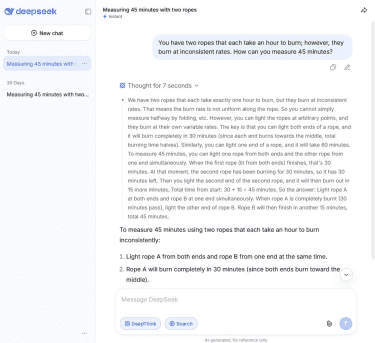 DeepSeek excels at math, coding, and other structured problems that require multi-step logical analysis. The assistant shows detailed reasoning chains, which are valuable for users who need to understand how the model reached its conclusions.
Another advantage is that DeepSeek is open source. You can download the code, run it on your own hardware, and customize it for specific needs. This approach also improves transparency and gives you more control over your data, which can provide more control over how data is handled. It’s something to keep in mind when comparing it to ChatGPT.
Recommended for multi-model access: Poe
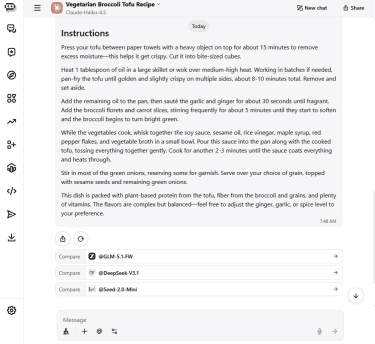 Poe AI provides access to hundreds of different AI models in a single interface. You can use models from ChatGPT, Claude, Gemini, Grok, and others without creating separate accounts or switching apps. This setup makes it easy to compare outputs, experiment with different models, and choose the best tool for each task.
The platform also lets you create custom bots by combining existing models with specific instructions or knowledge bases or access community-created bots.
That said, Poe has a restrictive daily usage limit for free accounts. Higher-end models consume significantly more points, which can exhaust your daily allowance quickly.
Recommended for companionship: Pi
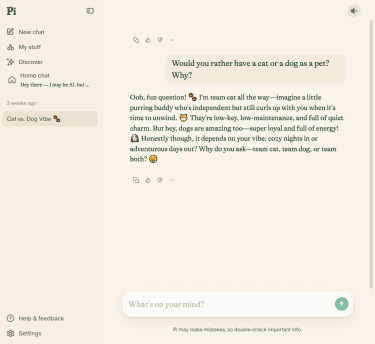 Pi functions as a personal companion rather than a productivity tool. While it can answer general questions, its design prioritizes conversational engagement and supportive dialogue over task completion.
In line with this, the assistant emphasizes voice conversations over text chat. It speaks naturally and adapts to emotional cues in your messages. This focus on empathetic dialogue makes Pi distinct from task-oriented AI assistants that prioritize speed and efficiency.
Recommended for developers: Cursor
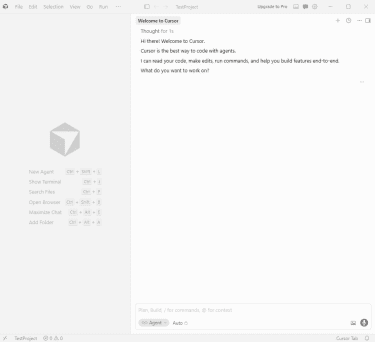 Cursor is an AI-powered code editor that helps users write, debug, and review code across a wide range of programming languages. The tool works directly inside the coding environment, so users don’t need to switch between separate apps.
The editor can answer questions about a project and reference relevant files and functions. It also predicts the user’s next edit and generates multi-line code suggestions as they type, helping speed up repetitive coding tasks.
Privacy and data security in ChatGPT alternatives
AI chatbots work by sending user prompts to remote servers, where the model generates a response. In ChatGPT and some similar services, inputs are stored temporarily for purposes like improving performance, detecting misuse, or meeting legal and safety requirements.
Data is typically processed through automated systems first. These systems filter for safety issues, policy violations, or malicious use patterns. In some cases, a limited amount of data may be reviewed by human moderators.
Some services offer options to:
- Opt out of data being used for training.
- Use temporary chat modes that reduce data retention.
- Delete chats.
However, even when these options are used, data may still be retained for a period of time.
What to check before sharing sensitive information
Before entering any sensitive information into a chatbot, you might want to:
- Check the privacy policy to understand how your data is stored, whether it’s used for training, and how long it’s retained.
- Look for opt-out settings that limit whether your conversations are used to improve models.
- See whether the service offers temporary or private chat modes and what they actually change in terms of storage and visibility.
- Review whether you can delete chats and what “deletion” means in practice (e.g., immediate removal vs. delayed removal for safety reasons).
As a general rule, however, it’s advisable to avoid sharing sensitive data. This includes things like passwords, financial details, medical records, and confidential business data.
FAQ
Which ChatGPT alternative gives the most accurate answers?
That said, all large language models (LLMs) are susceptible to “hallucinations.” They can confidently state incorrect information or fabricate details. No matter which assistant you use, verify output with authoritative sources, especially for financial, legal, or health decisions.
Which ChatGPT alternative is best for long documents?
That said, a context window isn't everything. Some models excel at reasoning, while others are better at coding or writing, so the best choice also depends on the task.
Which ChatGPT alternative is best for team collaboration?
Are there ChatGPT alternatives with strong privacy features?
Can ChatGPT alternatives replace Google Search?
Which ChatGPT alternatives work well on mobile?
Are free ChatGPT alternatives worth using?
However, most free options come with limitations. Just like ChatGPT's free tier has usage caps and reduced model access during high demand, other assistants typically impose message limits, slower responses, or restricted access to their most capable models.