Expressvpn Glossary
Web client
What is a web client?
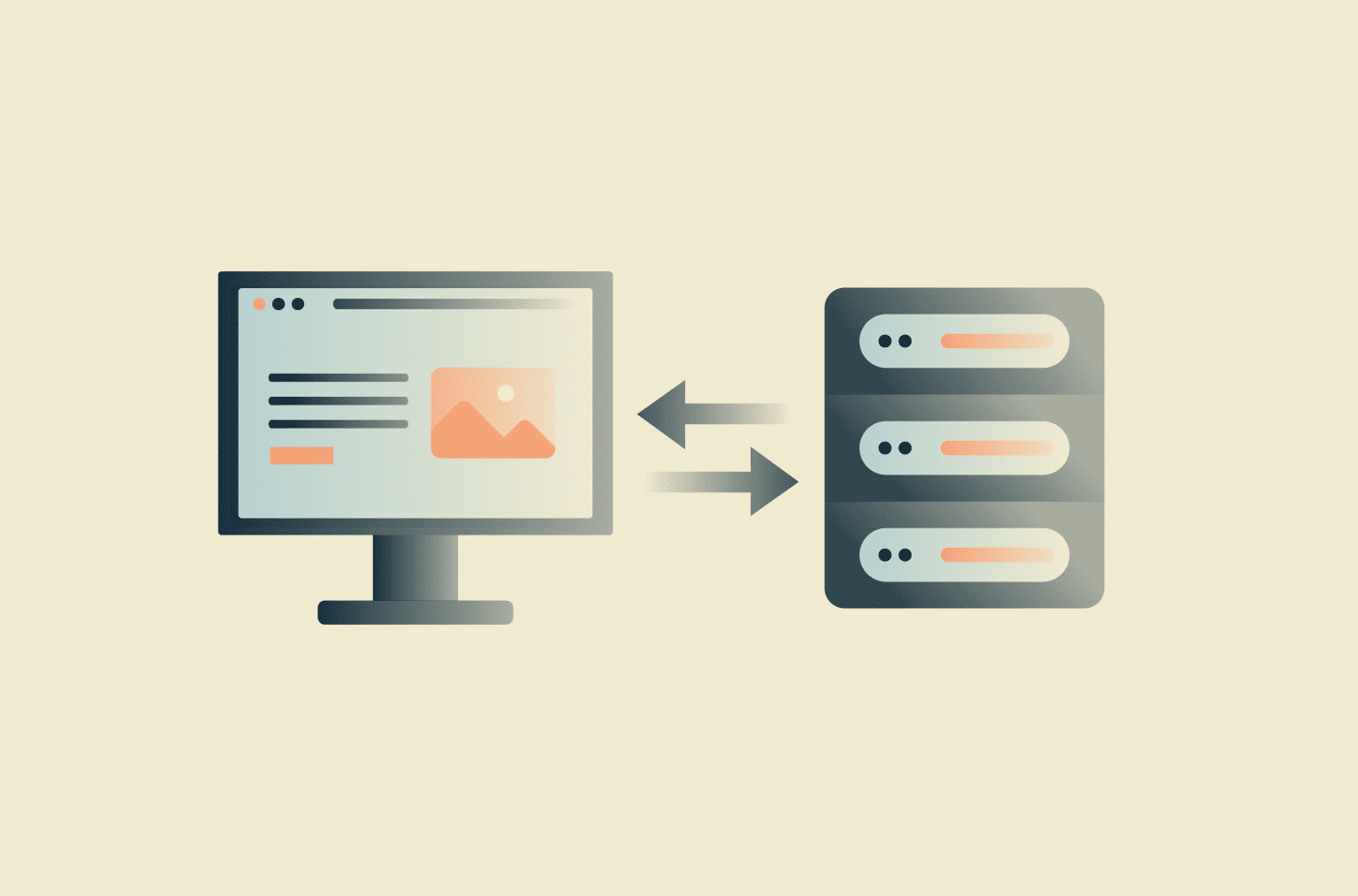
A web client refers to software designed to access web-based services and resources. Web clients are commonly found in user-facing software such as browsers, desktop applications, and mobile applications, but they can also include command-line tools, scripts, and other software that send web requests.
Web clients use network protocols to format and send messages to online services and to receive, process, and sometimes render responses. This allows users or software systems to exchange information with online services and use features that require a network connection.
How does a web client work?
Web clients perform various operations to support communications between web apps and servers. When the user initiates an action, the web client is responsible for carrying out the following sequence:
- Building the request by packaging the data and headers.
- Resolving the web server’s domain name using Domain Name System (DNS).
- Establishing a connection using transport protocols like Transmission Control Protocol (TCP) or Quick UDP Internet Connections (QUIC), which run over IP.
- Negotiating Transport Layer Security (TLS) when using secure protocols such as Hypertext Transfer Protocol Secure (HTTPS); in HTTP/3, TLS is integrated into QUIC.
- Sending protocol-formatted requests to the web server.
- Parsing responses, which may come in HTML, JSON, media, or other file formats.
- Rendering the response in a way a human user can read, where applicable.
- Managing cookies and the session-related state, as well as handling errors, retries, and timeouts.
A web client relies on widely used protocols to facilitate client-server communications. The most common is HTTPS, which web browsers use to request and accept web pages and other web resources from a web server.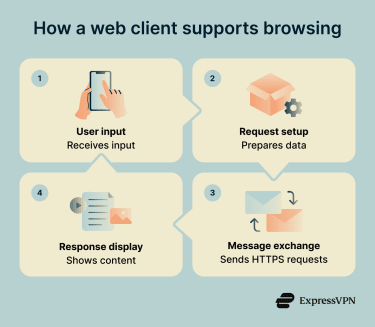
Why is a web client important?
A web client serves as the primary interface between users or applications and web-based services. Without them, users and applications wouldn’t be able to interact with remote web services or access dynamic content hosted on external servers.
In addition to simply sharing information, web clients help make communication efficient and secure. They participate in authentication between authorized clients and servers and can provide encryption through HTTPS.
For example, web clients manage sensitive cookies and tokens, which can affect user privacy and exposure to online tracking. Cookies can help maintain login state, while caching can improve performance and reduce loading times.
By managing session-related state, web clients help maintain continuity during interactions with a website or service. In some cases, users may be able to resume an interrupted transfer, such as a download, if the client and server support HTTP range requests.
Risks and privacy concerns
Without additional security controls or safe user practices, apps that rely on web clients can be exposed to a variety of threats. Because web clients are a primary way that apps and users interact with web services, they are a common target for attackers.
Potential risks include:
- Malicious websites and phishing: Threat actors may operate sites that distribute malware, steal credentials, or trick users into revealing sensitive data.
- Tracking via cookies and browser fingerprinting: Trackers and profilers may use cookies or browser fingerprinting techniques to identify and monitor users across websites.
- Session hijacking via stolen cookies: Malicious actors may attempt to steal session cookies or tokens to impersonate a logged-in user and take over an active session.
- Extension-related threats: Unsafe or malicious browser extensions may expose data, abuse permissions, or introduce security vulnerabilities.
- Insecure storage of credentials: Poorly protected credentials, session identifiers, or tokens may be exposed or stolen.
- Clickjacking and deceptive navigation: Attackers may trick users into clicking hidden or misleading elements, causing unintended actions or navigation.
Further reading
- Browser isolation: What it is and why it matters
- What is TLS encryption, and how does it protect your data?
- SSL vs. TLS: Key differences and why TLS is better
- Port 443: What it is, how it works, and how to use it safely
- The safe browsing guide: 21 ways to protect yourself online